
PRIAPPS TOUCH-FREE
Your phone is the control panel
One familiar interface. Across your print fleet.
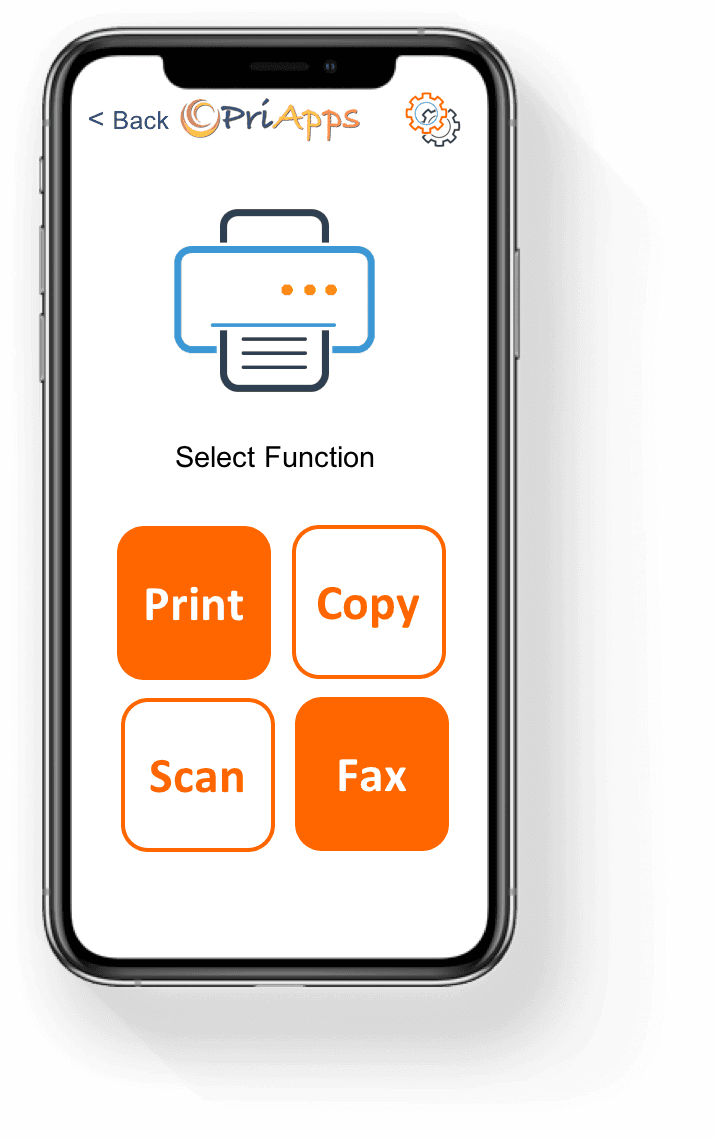
PriApps Touch-Free lets users securely access printing, copying, scanning and faxing from their own smartphones, without navigating the MFP's control panel.
Whether it's a sophisticated MFP or a basic desktop printer, users enjoy a consistent, personalized experience across their PriApps-managed fleet, with the functions available at each device.
Behind every action, PriApps applies your organization's security policies, manages document workflows and tracks activity.
ONE COMPLETE SOLUTION
Complete print and document management. Controlled from your smartphone.
PriApps Touch-Free brings together secure print release, MFP authentication, copying, scanning, faxing, rules-based printing and usage tracking in a single product.
Users interact through their smartphones while IT administrators retain centralized control over security, policies and document workflows.
Built on the same enterprise-scale output management platform as PriApps SSO and PriApps Secure Print, Touch-Free provides comprehensive print and document management without requiring users to operate the MFP's control panel.
Single Sign-On for MFPs
Securely identify users and provide access to the MFP functions and document workflows they're authorized to use.
Learn more →Secure Print Release
Hold documents securely until users identify themselves and release their print jobs at their chosen printer or MFP.
Learn more →Scanning & Document Capture
Give users access to personalized document workflows, including Scan to Me, Scan to Email and Scan to Folder, directly from their smartphones.
Learn more →Mobile & BYOD Printing
Allow users to submit print jobs from their own smartphones, tablets and computers to centrally managed print queues.
Learn more →Rules-based Printing
Automatically apply policies covering color, duplex, device access, job routing and other printing requirements.
Learn more →Usage Tracking & Reporting
Monitor and report on print, copy, scan and fax activity by user, device and department.
Learn more →Cost Recovery & Billing
Optionally allocate printing and copying costs to clients, matters, departments or projects for accurate accounting and cost recovery.
Learn more →Licensed by device, not by user.
PriApps Touch-Free is licensed according to the number of connected printers and MFPs, with no limit on the number of users.
SIMPLE FOR EVERY USER
Scan. Sign in. Choose. Done.
Everything users need to do at the device is available through a familiar interface on their own smartphones.
Scan
Open the PriApps Touch-Free app and scan the QR code displayed on the MFP or on a sticker placed beside the printer.
Sign in
PriApps securely identifies the user and selected device, providing access to the functions and documents they're authorized to use.
Choose
View held print jobs, select copy settings, start personalized scan workflows or send a fax using the smartphone.
Done
The printer or MFP performs the selected operation while PriApps manages the workflow and records the activity.
A familiar experience, whatever the device
Different manufacturers provide different MFP interfaces, menus and operating procedures.
PriApps Touch-Free gives users a consistent application across their PriApps-managed fleet, reducing the need to learn how each device operates.
PERSONALIZED USER EXPERIENCE
Your documents. Your workflows. Your phone.
PriApps Touch-Free provides users with a convenient, personalized interface to their print and document workflows, regardless of which supported MFP they choose to use.
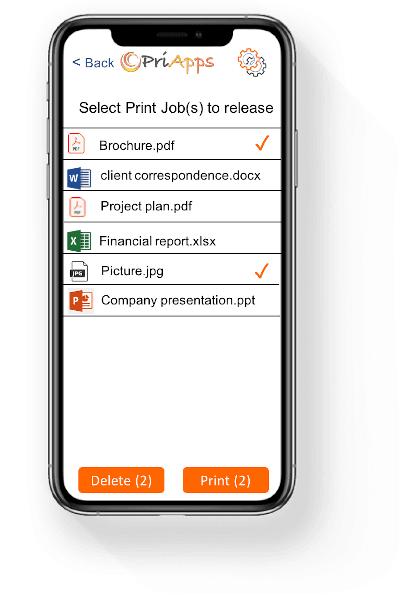
Release your print jobs
View your held documents in PriApps myQueue, select the jobs you want and securely release them at a PriApps-managed printer or MFP.
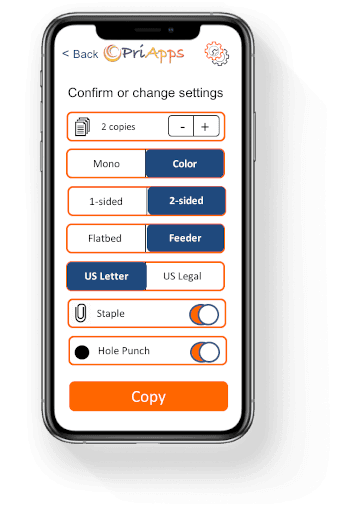
Make copies
Select copy settings and start copying directly from your smartphone, without navigating the MFP's control panel.
Scan documents
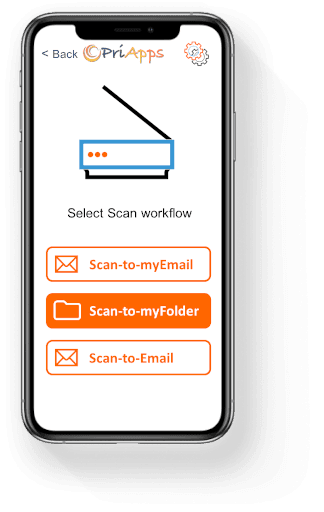
Access your personalized scan workflows, including Scan to Me, Scan to Email and Scan to Folder. Select the workflow from your phone and let the MFP handle the scanning.
Send faxes
Initiate fax operations from your smartphone without using the device's control panel.
Copying, scanning and faxing from the smartphone are available on supported MFPs running the PriApps application.
Flexible ways to access your devices
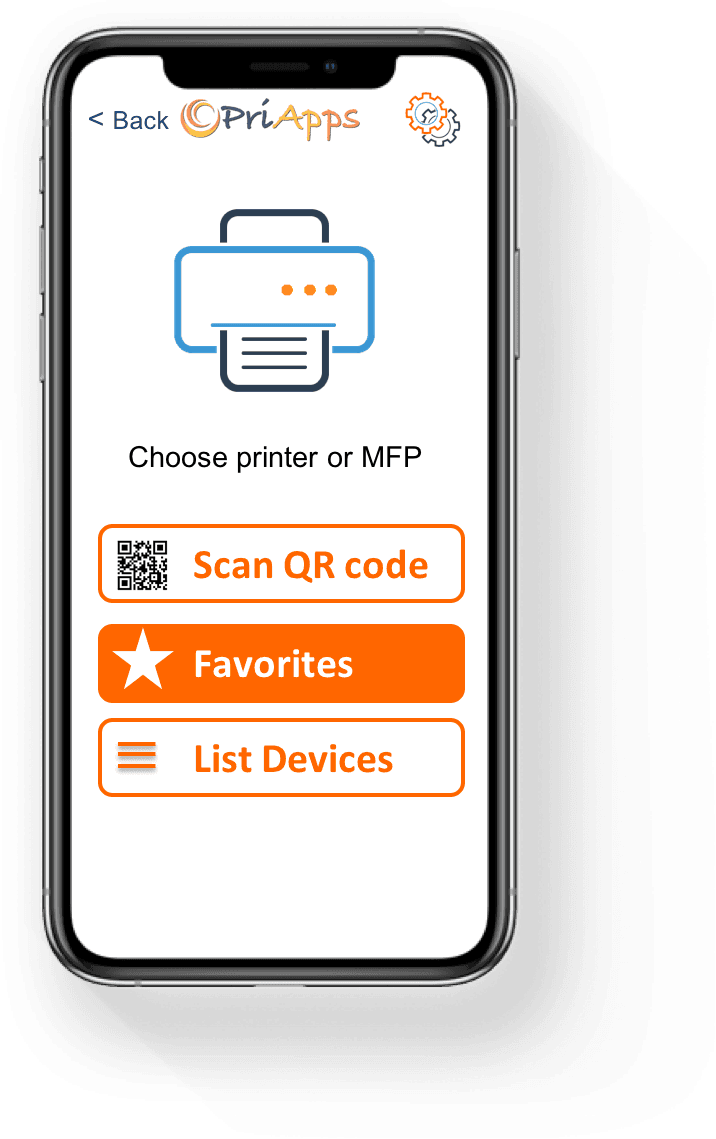
Users can select or access printers and MFPs in several ways:
- Scan a QR code displayed on the MFP or attached to a printer.
- Select a frequently used device from Favorites.
- Browse or search for printers in the device list.
- Authenticate using an employee ID card or door-access badge at the MFP's card reader.
Free apps for iOS and Android
The PriApps Touch-Free smartphone app is available free from the Apple App Store and Google Play.
No app? Use your browser.
Users who cannot install the application can scan the device's QR code using their smartphone camera and securely release held print jobs through a web browser.
Browser-based access provides print release rather than the full range of Touch-Free MFP functions.
MIXED FLEET SUPPORT
One consistent experience. Across your entire print fleet.
Your organization shouldn't have to standardize on a single printer manufacturer or replace existing devices to provide a consistent secure print release experience.
PriApps Touch-Free extends print management across mixed fleets, including MFPs with embedded PriApps applications and simpler printers without touchscreens.
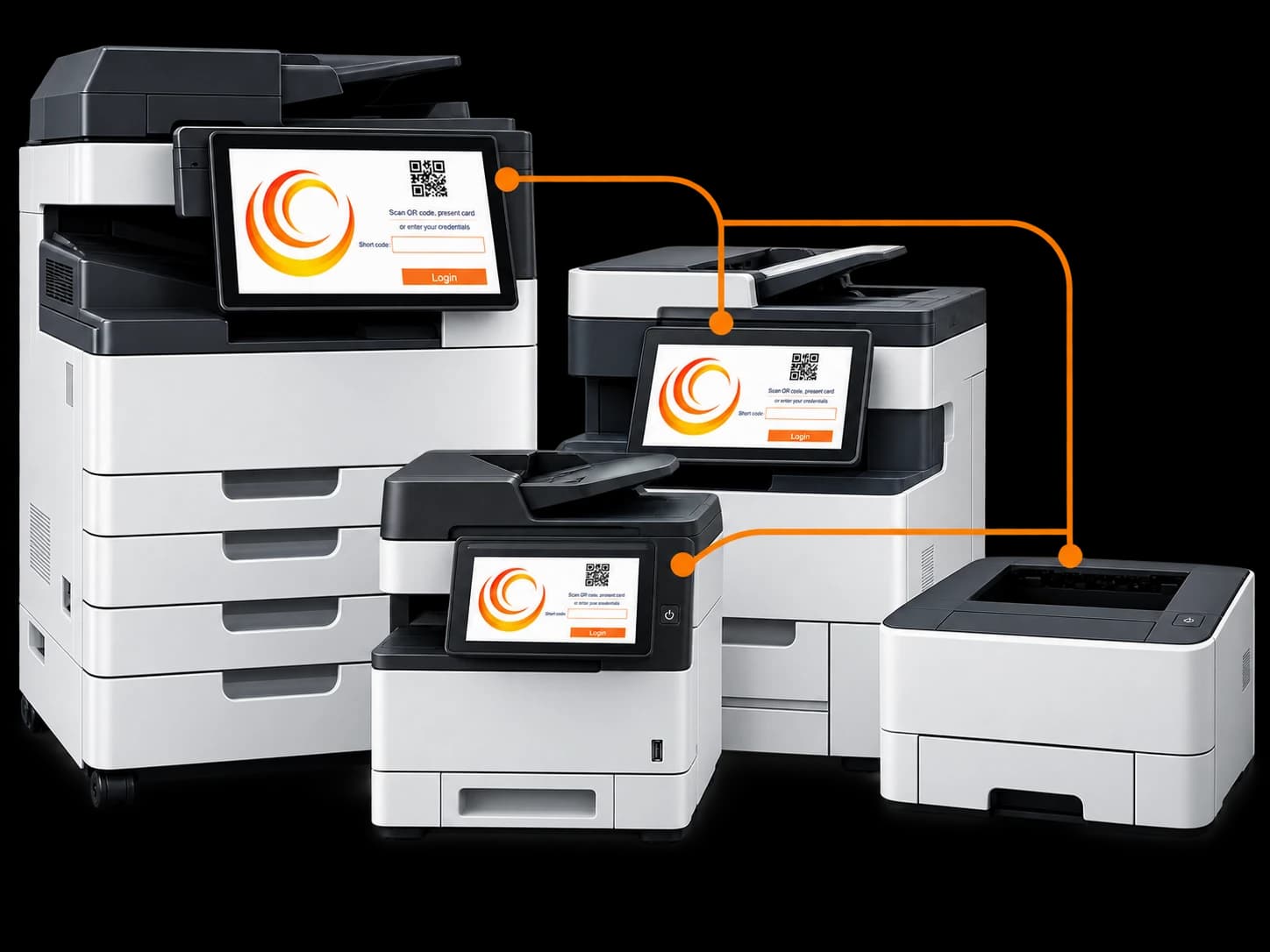
MFPs running the PriApps application
A QR code is displayed on the MFP's control panel.
Users scan the code with their smartphones to identify the device and access their authorized functions, including secure print release, copying, scanning and faxing.
Other printers and MFPs
Printers without a PriApps embedded application can still participate in secure print release.
PriApps generates a device-specific QR code that administrators can print and place on or beside the printer.
Users scan the sticker to identify the device and release their held print jobs, without requiring an embedded PriApps application or touchscreen.
Centralized management across the fleet
Whether a user prints to a large departmental MFP or a compact desktop printer, PriApps provides centralized management of print jobs, policies and usage information.
This helps organizations extend secure print release to more of their existing devices while providing a consistent experience for users.
ENTERPRISE ARCHITECTURE
Enterprise security and control. Without device complexity.
PriApps Touch-Free may be simple for users, but behind the smartphone interface is an enterprise-scale print and document management platform.
Unlike approaches that depend on direct communication between smartphones and printers, Touch-Free communicates through the PriApps Application Server.
This provides centralized management of identity, document workflows, security policies and device operations.
Centralized communication and control
The Touch-Free app communicates with the PriApps Application Server, which manages communication with the selected printer or MFP.
Commands are processed centrally, with applicable security and usage policies enforced through PriApps.
No wireless connection required on printers
Printers and MFPs remain connected to your existing network infrastructure.
They don't require WiFi or a direct wireless connection to users' smartphones for Touch-Free to operate.
No traditional print servers required
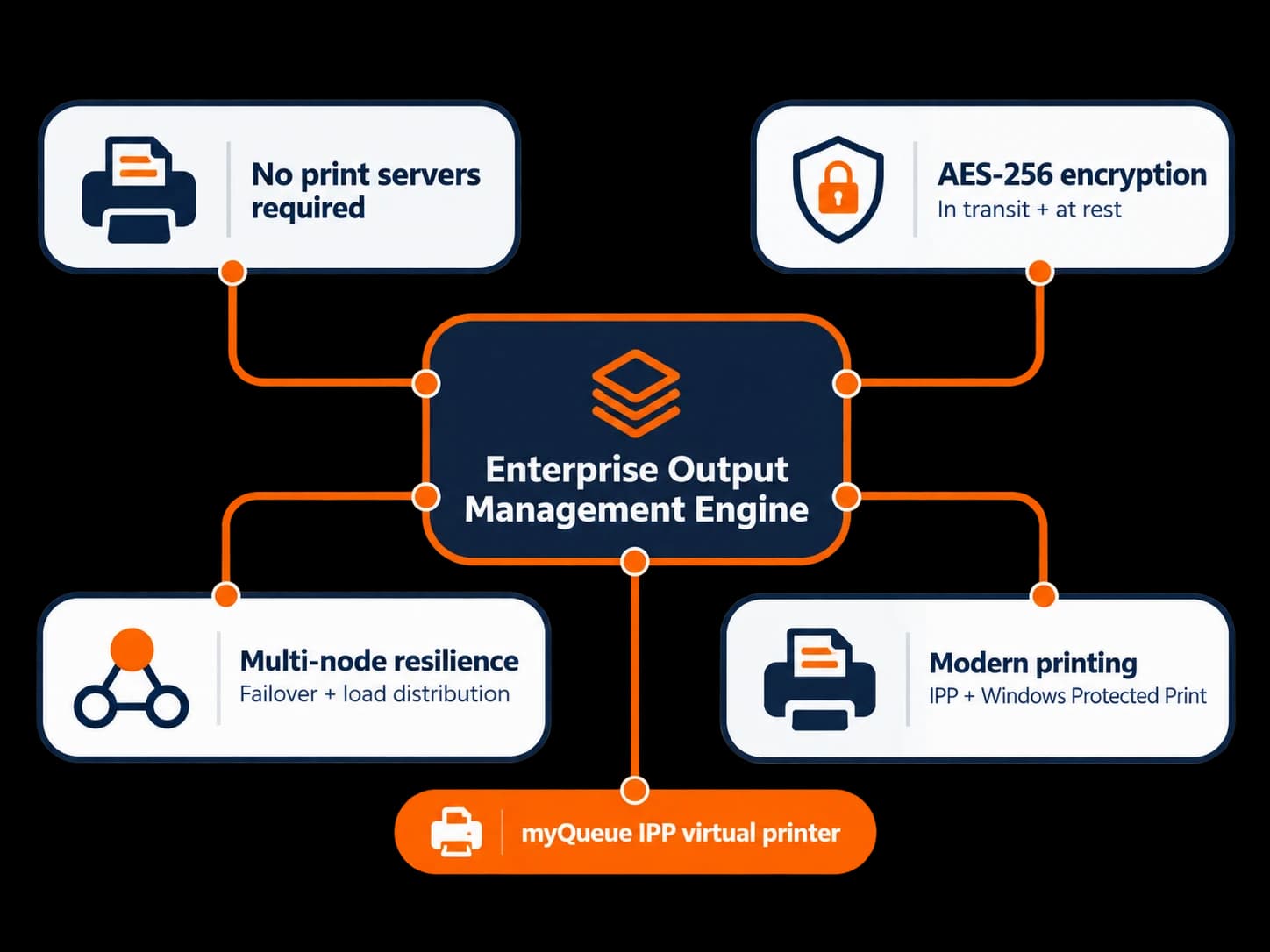
PriApps myQueue provides a centrally managed print destination without relying on conventional Windows print-server queues.
This reduces dependence on traditional print-server infrastructure while supporting secure print release across the fleet.
Protection for sensitive documents
PriApps protects print jobs in transit and while securely held for release, using AES-256 encryption.
Documents remain under centralized management until the authorized user releases them at the selected device.
Built on an enterprise output management platform
Touch-Free uses the same underlying output management engine as PriApps SSO and PriApps Secure Print.
This provides an established foundation for scalability, centralized administration and resilient deployments.
FLEXIBLE DEPLOYMENT
Designed for your infrastructure. Not the other way around.
PriApps Touch-Free is designed to operate within your organization's existing network and security environment.
Choose the deployment approach that best meets your operational, infrastructure and security requirements.
On-premises
Run the PriApps application-server software within your own server environment, maintaining direct control over your infrastructure and print management services.
Hybrid
Combine PriApps infrastructure with cloud-based identity, services and resources where appropriate.
Integration with your existing identity systems
PriApps supports user and group synchronization through LDAP and Active Directory, Microsoft Entra ID and Google directory services.
This helps organizations manage access using their established identity infrastructure.
Using PriApps CloudPrint?
The PriApps Touch-Free app can also be used to securely release held print jobs managed through PriApps CloudPrint.
Authentication at the MFP remains managed through CloudPrint's own authentication capabilities.
CHOOSING A PRODUCT
Which PriApps product is right for you?
PriApps Touch-Free, PriApps SSO and PriApps Secure Print share the same underlying technology platform, but are designed to meet different requirements.
PriApps Touch-Free
Smartphone-led print and MFP management
Choose Touch-Free when you want users to operate supported MFP functions through their smartphones, while extending secure print release to other printers across a mixed fleet.
Touch-Free includes secure MFP sign-in, print release, copy, scan and fax control, rules-based printing and usage tracking.
It is licensed by connected device, with unlimited users.
PriApps SSO
Comprehensive enterprise print and document management
Choose PriApps SSO when your organization requires a broader range of enterprise capabilities, including Print Quota Management, Chromebook printing and Enterprise Output Management.
PriApps SSO supports comprehensive MFP and print management requirements on the same underlying platform.
PriApps Secure Print
Secure print release and print control
Choose PriApps Secure Print when your primary requirements are secure print release, print rules, quota management and print tracking, without requiring PriApps authentication and management of copy, scan and fax functions.
Start with Touch-Free. Expand when you need to.
PriApps Touch-Free and PriApps SSO use the same application-server software.
If your organization's requirements grow, you can move to PriApps SSO and introduce additional enterprise capabilities without replacing the PriApps application-server software.
Users can continue using the Touch-Free smartphone app.
WHY PRIAPPS
Innovation backed by experience
PriApps brings established print management expertise and a history of innovation to smartphone-based print and document management.
A pioneer of mobile print release
PriApps developed the first secure print release application for smartphones, giving organizations an alternative to traditional MFP control panels.
Recognized for innovation
In 2021, PriApps Touch-Free received a Buyers Lab (BLI) Outstanding Achievement in Innovation award from Keypoint Intelligence.
The award recognized innovation in the delivery of print and document management capabilities.
Trusted around the world
More than 20,000 customers worldwide use PriApps technology, supported through a global network of resellers, service partners and office equipment dealers.
Specialist technical support
PriApps support is provided by specialists with experience in printers, MFPs, networks, identity management and enterprise print infrastructure.
We work closely with customers and partners to help resolve issues, maintain reliable operations and support changing business requirements.
FAQ
Frequently Asked Questions
What is PriApps Touch-Free?
PriApps Touch-Free is enterprise print and document management software that lets users securely access printing, copying, scanning and faxing from their own smartphones, without operating the MFP's control panel.
How is PriApps Touch-Free licensed?
Touch-Free is licensed according to the number of connected printers and MFPs, with no limit on the number of users. The smartphone app is free, while PriApps server software is available through authorized PriApps resellers.
Do users have to scan a QR code?
No. Users can also select devices from their Favorites, browse or search the printer list, or authenticate using an employee ID card or door-access badge at a supported MFP.
Can users copy, scan and fax at every printer?
No. Copying, scanning and faxing from the smartphone are supported on MFPs running the PriApps application. Secure print release is available at PriApps-managed printers and MFPs, including devices without an embedded PriApps application.
Does Touch-Free work with printers that don't have touchscreens?
Yes. Administrators can generate and print QR code stickers for individual devices. Users scan the sticker with their smartphones to identify the printer and securely release held print jobs.
What if a user cannot install the smartphone app?
Users can scan the printer's QR code with their phone camera and release held print jobs through a web browser. This provides print release functionality rather than the complete Touch-Free MFP experience.
Do printers need WiFi?
No. The Touch-Free app communicates with the PriApps Application Server, which manages communication with printers and MFPs over the existing network.
Does PriApps Touch-Free require traditional print servers?
No. PriApps myQueue provides a centrally managed print destination without requiring conventional Windows print-server queues.
Can Touch-Free integrate with our existing user directory?
Yes. PriApps supports user and group synchronization with LDAP and Active Directory, Microsoft Entra ID and Google directory services.
Can PriApps Touch-Free run in the cloud?
Touch-Free supports on-premises and hybrid deployment. When used with PriApps CloudPrint, the Touch-Free app provides secure print release while CloudPrint manages MFP authentication.
SEE PRIAPPS TOUCH-FREE IN ACTION
See what your fleet can do with Touch-Free.
Whether you're managing a single office or a distributed fleet of printers and MFPs, PriApps Touch-Free can simplify the user experience while maintaining centralized security, document management and control.
Let us show you how your existing printers and MFPs can work with PriApps Touch-Free.