
PRIAPPS FOR MICROSOFT 365
Print, copy and scan management built for Microsoft 365
Connect Microsoft identity, printing and document workflows with secure print release, MFP sign-in and personalized scanning to Microsoft 365.
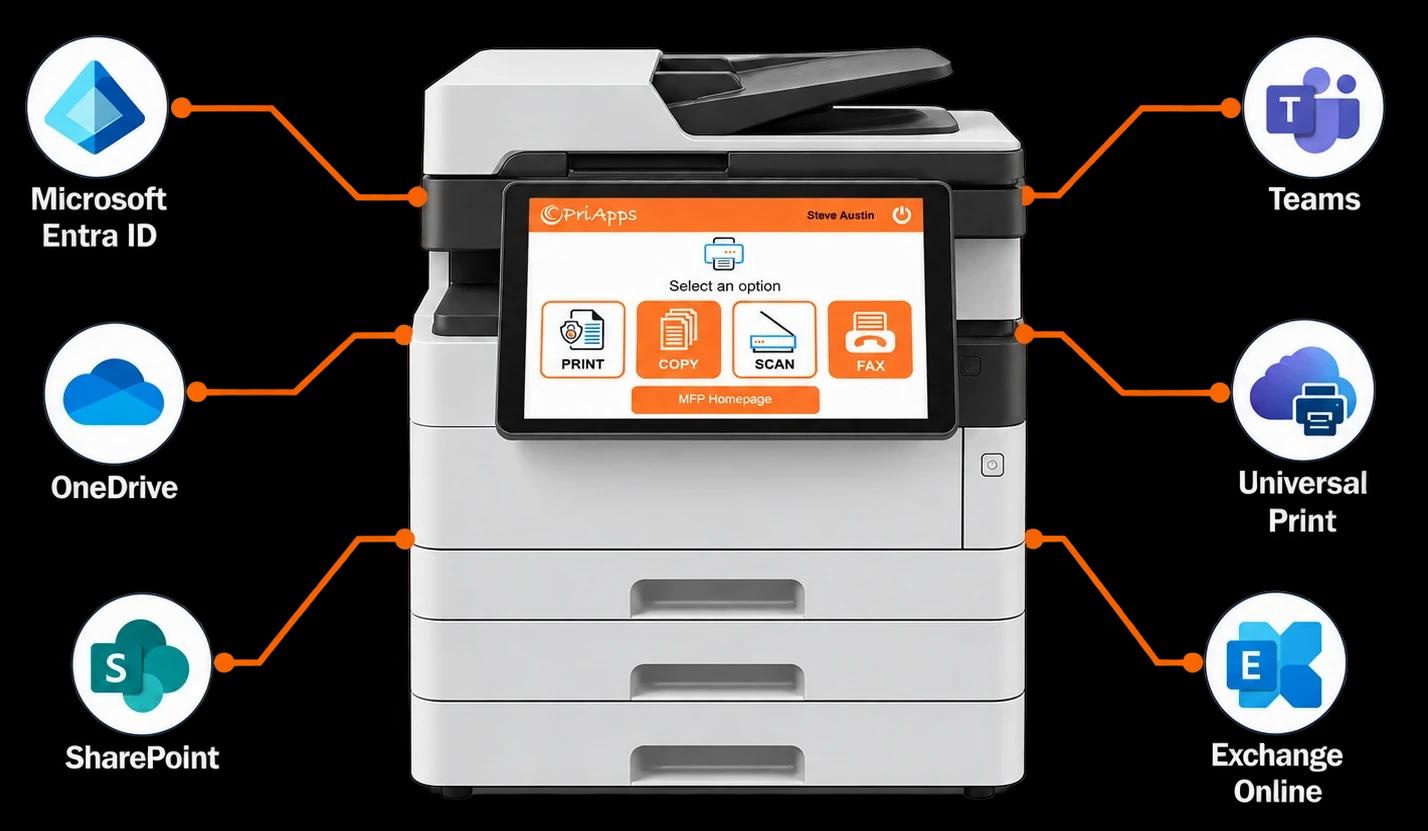
PriApps for Microsoft 365 is an edition of PriApps designed for organizations built around Microsoft 365.
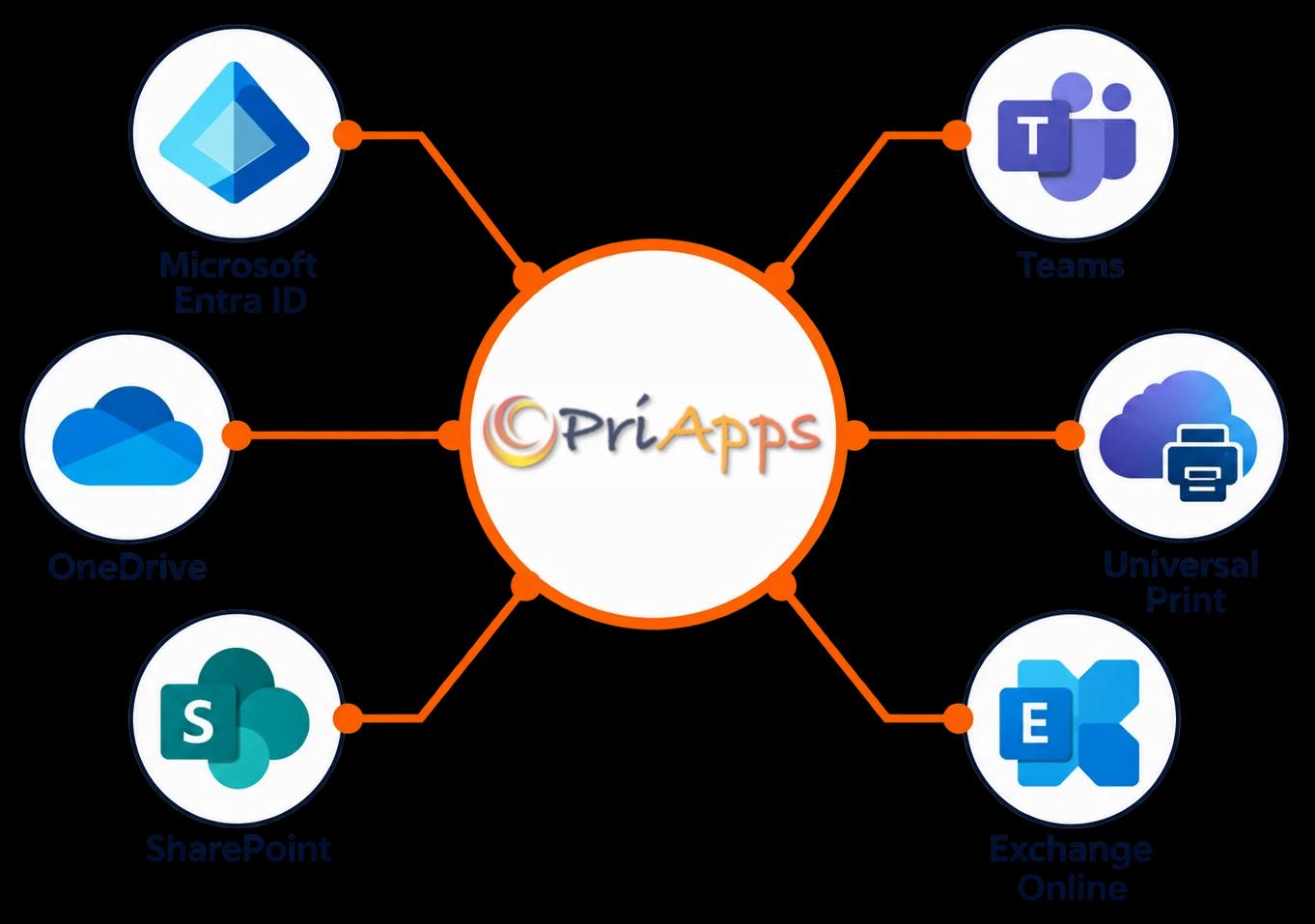
It connects printing, copying and scanning with Microsoft Entra ID, OneDrive, SharePoint, Teams, Exchange Online and Microsoft Universal Print — giving users a consistent experience from their desktop to the MFP.
Deploy PriApps on-premises, hybrid or cloud-native to match your Microsoft 365 environment and infrastructure strategy.
INCLUDED SOLUTIONS
One platform for Microsoft 365 printing, copying and scanning
Single Sign-On for MFPs
Connect MFP access to Microsoft Entra ID so users can securely identify themselves before printing, copying, scanning or faxing.
Secure Print Release
Hold print jobs securely until the user identifies themselves and releases them at a printer or MFP.
Users can work across a mixed fleet rather than being tied to one device.
Scanning & Document Capture
Give each user personalized scanning workflows linked to their Microsoft identity.
Scan directly to the user's own email, OneDrive, SharePoint locations and Teams channels.
Microsoft Universal Print
Bring PriApps secure release, device authentication, print policies and usage tracking to Microsoft Universal Print environments.
Users can access a consistent PriApps print workflow across supported printers and MFPs.
Rules & Policies
Apply printing policies according to the individual user, Microsoft group, device, department or location.
Policies can help organizations manage how document services are used without requiring users to make the same choices every time they print.
Usage Tracking & Reporting
Attribute print, copy, scan and fax activity to the individual Microsoft 365 user.
Organizations gain a consistent view of document activity across users, departments, locations and supported devices.
Mobile & BYOD Printing
Give users a secure way to print from smartphones, tablets and personal laptops as part of the same managed PriApps environment.
Cost Recovery & Billing
Allocate document costs to departments, cost centers, clients, matters or other accounting codes.
HOW IT WORKS
From Microsoft 365 to the MFP
Users print to their PriApps myQueue from their Microsoft 365 working environment, including through Microsoft Universal Print where deployed.
Identify
At the printer or MFP, users identify themselves using their staff badge, PIN or smartphone.
PriApps associates the device session with their Microsoft Entra ID identity.
Print, copy or scan
Users release their secure print jobs or access the copy, scan and fax functions available to them.
Personalized scan destinations can automatically follow the user.
Track
Print, copy, scan and fax activity can be recorded against the individual Microsoft 365 user, providing centralized usage information across the organization.
BUILT AROUND MICROSOFT 365
Connect the MFP to the Microsoft services your users already know
PriApps brings Microsoft identity, cloud services and printing together at the printer and MFP.
Microsoft Entra ID
Connect PriApps to Microsoft Entra ID to synchronize users and groups.
Permissions and workflows can follow Microsoft group membership, helping simplify administration as users join, move within or leave the organization.
Microsoft identity at the MFP
Users can identify themselves at supported MFPs using familiar authentication methods such as staff ID cards, door-access badges, PINs or smartphones.
Once identified, PriApps connects the device session with the individual user's Microsoft identity.
OneDrive
Users can scan documents directly into their own Microsoft OneDrive storage without manually entering destinations at the MFP.
SharePoint
Provide personalized access to approved SharePoint document locations directly from the MFP.
Microsoft Teams
Scan documents into the Microsoft Teams locations associated with the user's permitted workflows.
Exchange Online
Scan-to-email can use Exchange Online and the authenticated user's own identity, providing a clear connection between the person and the document they send.
Microsoft Universal Print
PriApps works alongside Microsoft Universal Print to provide a consistent secure print release experience across the organization.
Users can print to their PriApps myQueue and release jobs at supported printers and MFPs across a mixed device fleet.
Modern Windows printing
PriApps supports modern Windows printing technologies, including Windows Ready Print and Windows protected print mode, helping organizations align their print environment with Microsoft's evolving Windows architecture.
DEPLOYMENT
Choose the architecture that fits your Microsoft environment
PriApps for Microsoft 365 can be deployed on-premises, hybrid or cloud-native, allowing organizations to align print and document management with their wider Microsoft technology strategy.
On-premises or hybrid
Built on PriApps SSO
Deploy PriApps within your own infrastructure or combine local PriApps services with Microsoft cloud services.
Connect Microsoft identity and storage with centralized PriApps management of users, devices, secure print release, document workflows, policies and reporting.
Cloud-native
Built on PriApps CloudPrint
Deploy PriApps using a cloud-native architecture designed around Microsoft 365.
There are no PriApps print servers, gateways or agents to operate on the customer network. Print jobs can remain within the organization's Microsoft 365 storage and be retrieved securely when the user releases them.
WHY PRIAPPS
Print management expertise built around the device
Microsoft 365 provides the identity, productivity and cloud services your organization depends on. PriApps connects those services with the printers and MFPs people use every day.
Designed for mixed printer and MFP fleets
PriApps provides a consistent user and management experience across supported devices from multiple manufacturers.
Built on enterprise output management technology
PriApps is built on an enterprise-scalable output management platform designed to manage document output, device access and user activity across complex environments.
Recognized for innovation
PriApps technology has received a BLI Award for Innovation from Buyers Lab, now part of Keypoint Intelligence.
Trusted around the world
More than 20,000 customers worldwide use PriApps technology, supported through a global network of resellers, service partners and office equipment dealers.
Support from people who understand print
PriApps support combines knowledge of Microsoft environments with specialist expertise in printers, MFPs, secure printing and document workflows.
FAQ
PriApps for Microsoft 365 questions
What is PriApps for Microsoft 365?
PriApps for Microsoft 365 is an edition of PriApps designed specifically for Microsoft-centric organizations.
It connects Microsoft identity and services with secure print release, MFP authentication, personalized scanning, print policies, usage tracking and other PriApps document-management capabilities.
How does PriApps integrate with Microsoft Entra ID?
PriApps synchronizes users and groups with Microsoft Entra ID and associates activity at the printer or MFP with the authenticated user's Microsoft identity.
This allows access, policies and personalized workflows to follow the user.
Do we need Microsoft Universal Print?
No. PriApps for Microsoft 365 can operate with or without Microsoft Universal Print.
Where Universal Print is deployed, PriApps integrates it into a broader secure print and device-management environment.
How do users sign in at the MFP?
Users can identify themselves using options such as their existing staff ID or door-access badge, a PIN or their smartphone.
PriApps associates that authentication with the user's Microsoft identity.
Where can users scan documents?
PriApps can provide personalized scanning to Microsoft destinations including the user's own email through Exchange Online, OneDrive, SharePoint and Teams, as well as other configured business destinations.
Can PriApps run entirely in the cloud?
Yes.
PriApps for Microsoft 365 can use PriApps CloudPrint as its cloud-native architecture, integrating printing and MFP workflows with Microsoft 365 without requiring PriApps print servers, gateways or agents on the customer network.
Can PriApps work across different printer manufacturers?
Yes.
PriApps is designed to provide a consistent print-management experience across a mixed fleet of supported printers and MFPs.
SEE PRIAPPS FOR MICROSOFT 365 IN YOUR ENVIRONMENT
Bring Microsoft 365 all the way to the MFP
Your users already rely on Microsoft identity, Microsoft 365 applications and Microsoft cloud storage.
PriApps connects that environment with the printers and MFPs they use every day — providing secure printing, personalized scanning and consistent document workflows across the organization.
Tell us about your Microsoft 365 environment and your device fleet. We'll show you how PriApps can fit into it.