
Report scheduling
Schedule usage and cost reports to be sent to a distribution group as PDF or CSV files, once or on a regular schedule.
PriApps CloudPrint tracks print, copy, scan and fax usage at every printer and MFP it manages, by user and by device. Its reports show that usage and what it costs. You can schedule any report to be sent to a distribution group as a PDF or CSV file, once or on a regular schedule.
Before you begin
- Sign in to the PriApps CloudPrint Console. See Signing in to the PriApps CloudPrint Console.
- Create the distribution group that will receive the report. See Distribution groups.
Steps
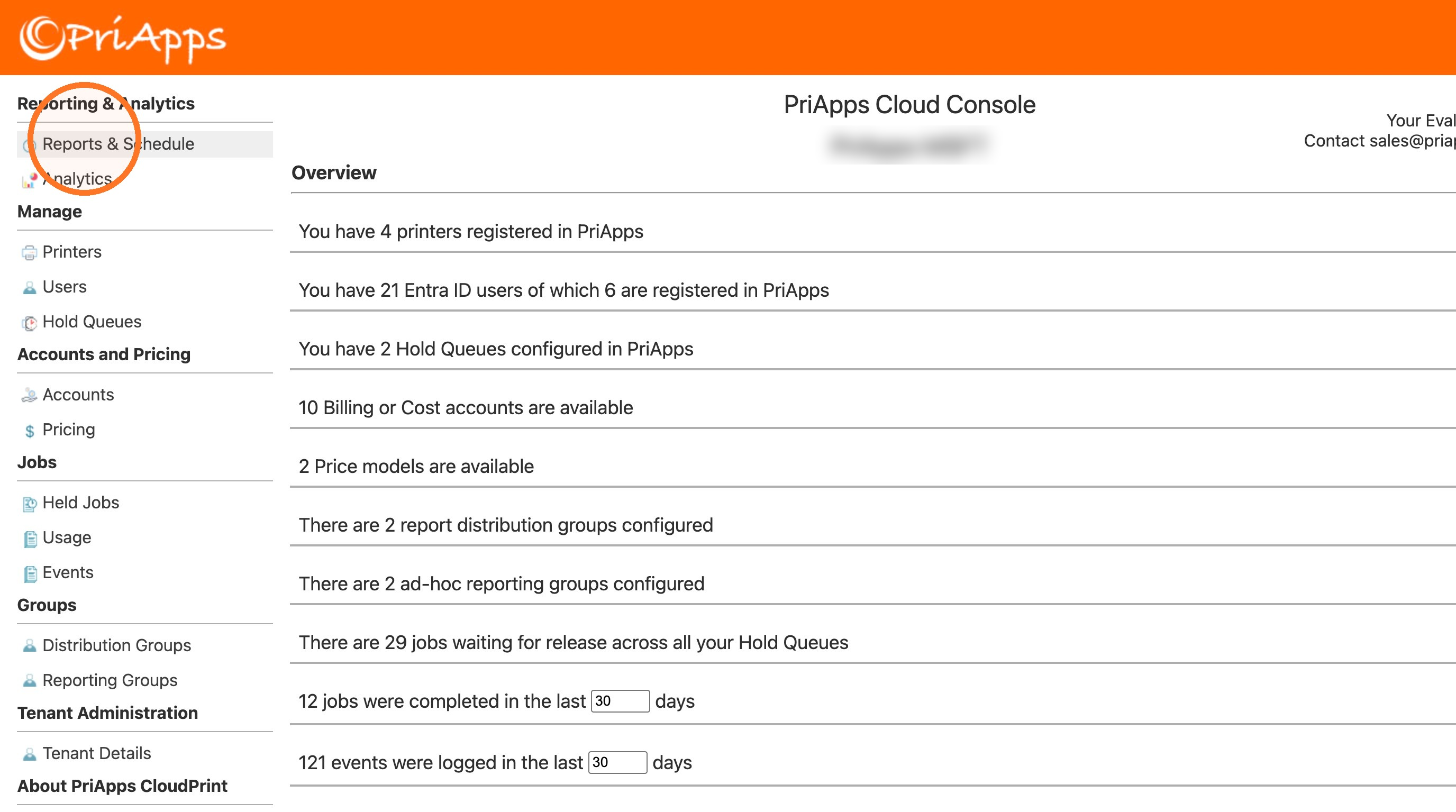
Open Reports & Schedule
In the menu, under Reporting & Analytics, select Reports & Schedule.
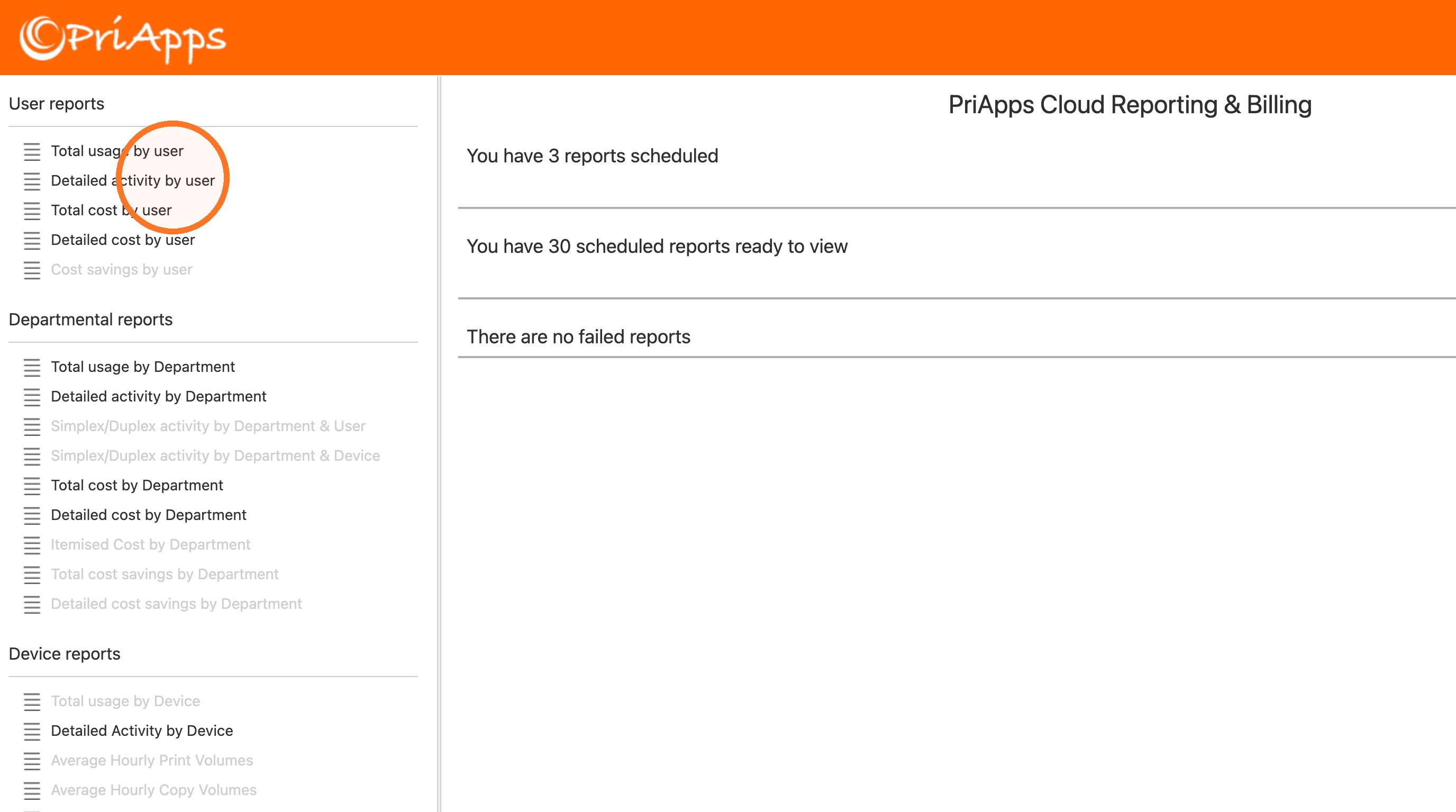
Choose a report
In the list of reports, select the one you want to schedule. See Reports.
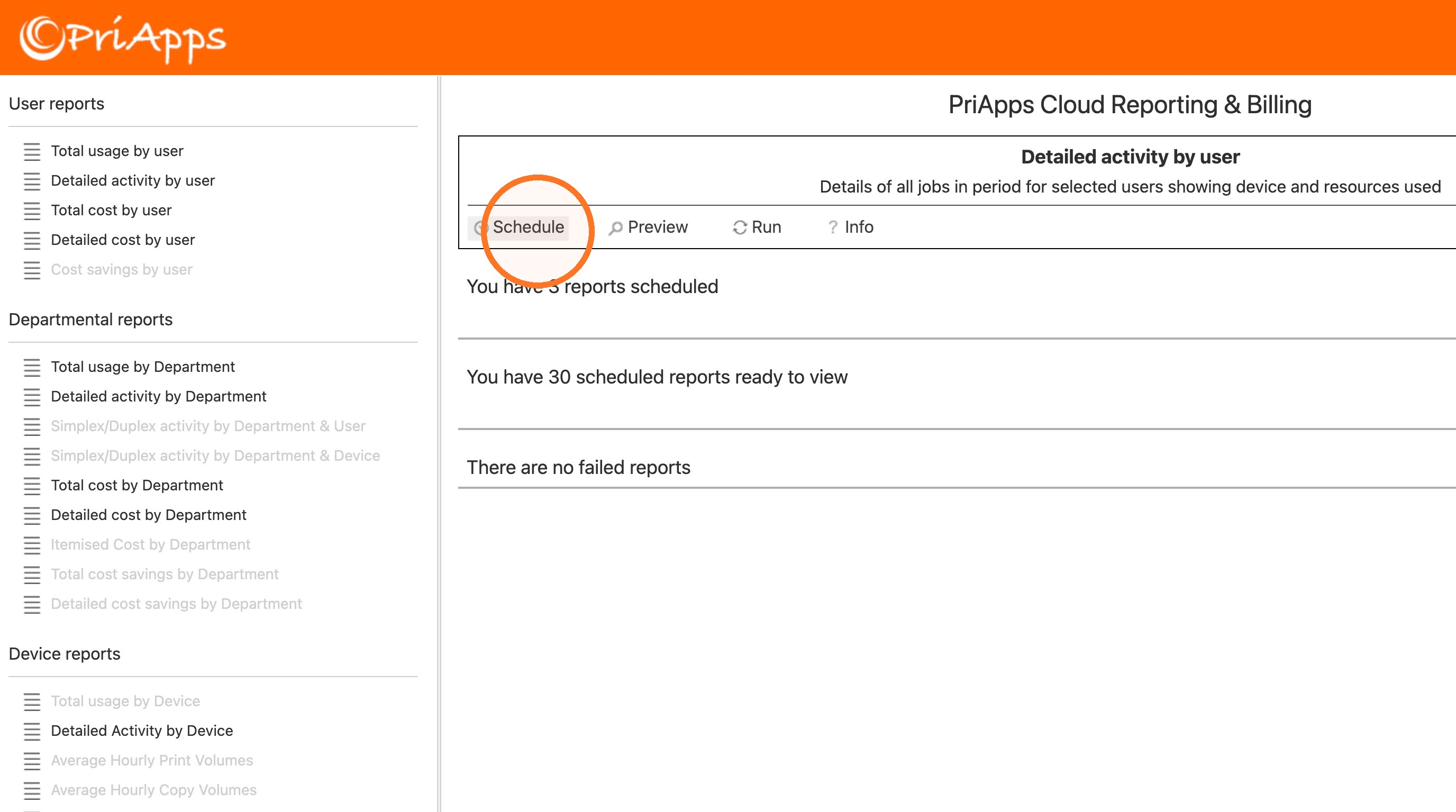
Select Schedule
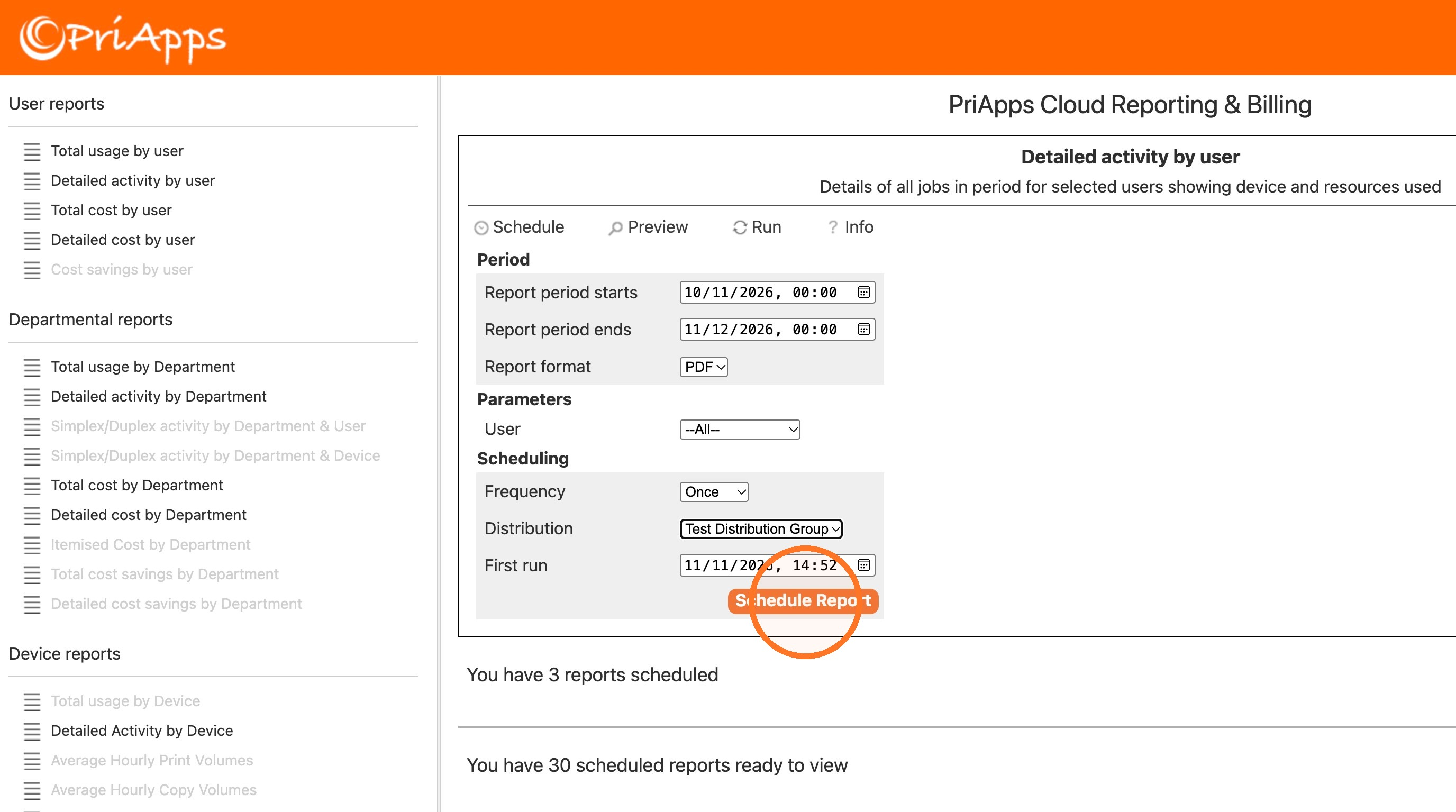
Above the report's description, select Schedule. To see the report first, select Preview. To read what the report shows, select Info.
Set the period and format
By default, the report covers the last month. To change it, change Report period starts and Report period ends. Then choose the Report format: PDF or CSV.
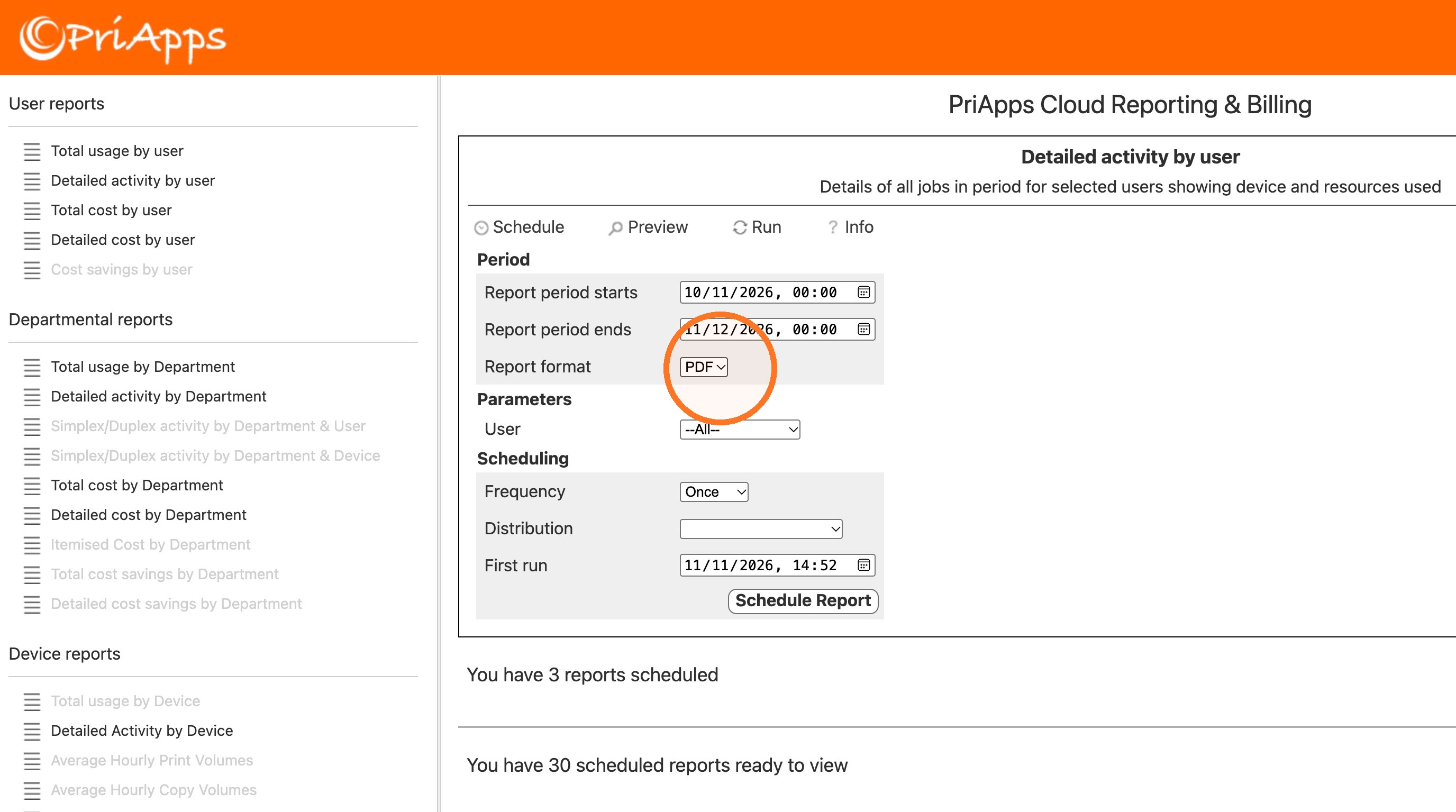
Choose who or what the report covers
Under Parameters, choose the users, departments, groups, accounts or devices the report covers, depending on the report. The default is all of them.
Set the schedule
Choose the Frequency: Once, Hourly, Daily, Weekly or Monthly. Then choose the distribution group that receives the report from Distribution.
To start the schedule at a later date or time, change First run.
Select Schedule Report
Select Schedule Report.
Check that it worked
Below the settings, select show... next to the number of reports scheduled. The report you scheduled is in the list.
The scheduled reports that have already run are listed next to the number of scheduled reports ready to view.
Run a report now
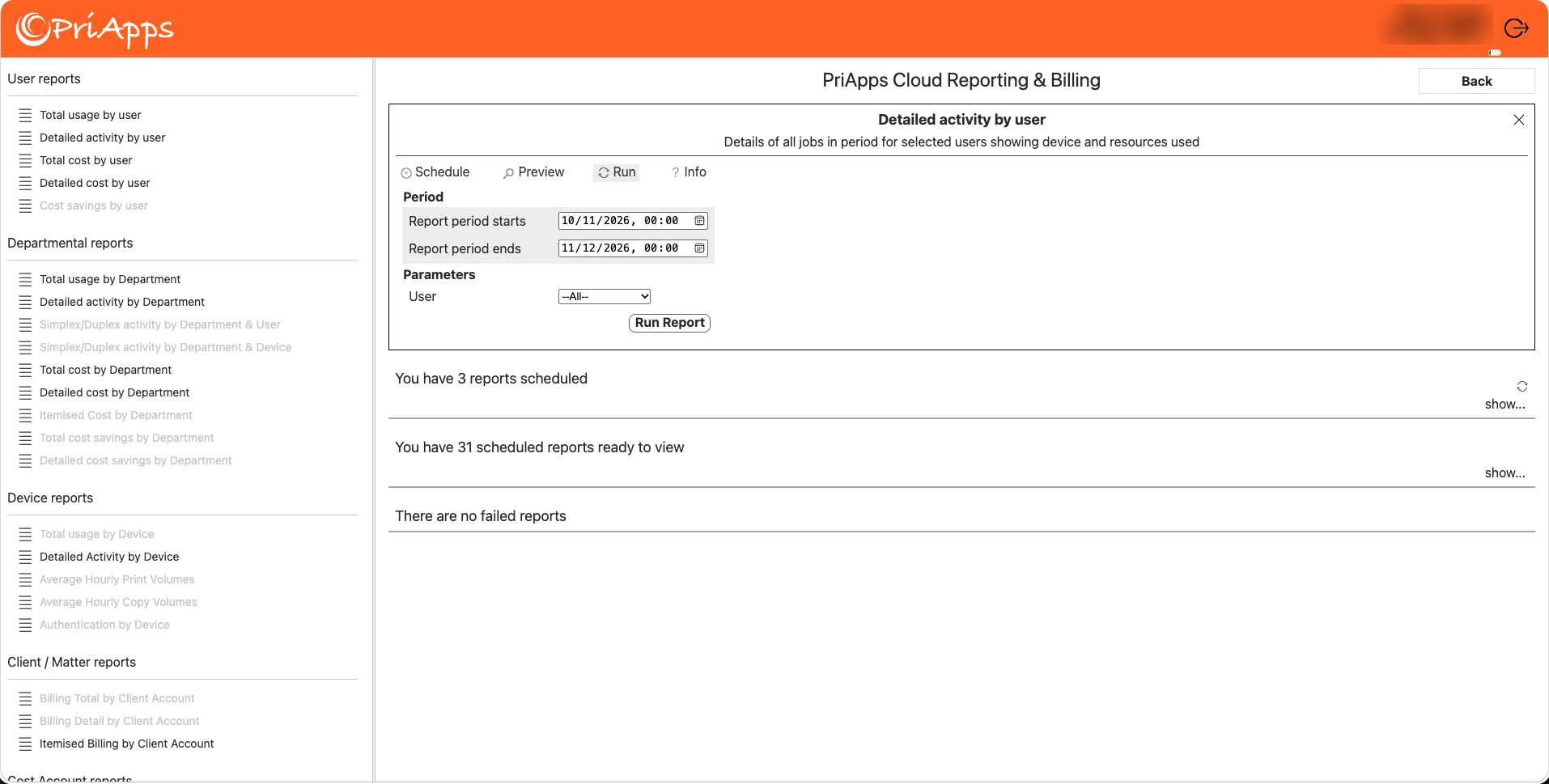
To run a report straight away instead of scheduling it, select the report, then select Run. Set the period and parameters, then select Run Report.
Reports
The reports are listed in six categories.
User reports
These reports show usage and cost by user.
| Report | What it shows |
|---|---|
| Total Usage by User | Summarized totals of all usage per user. |
| Detailed Activity by User | Line-by-line print, copy, scan and fax activity per user. |
| Total Cost by User | Summarized cost of all jobs per user. |
| Detailed Cost by User | Cost breakdown for all jobs per user. |
| Cost Savings by User | Cost savings achieved per user through rules such as duplex and mono enforcement. |
Departmental reports
These reports show usage and cost by department.
| Report | What it shows |
|---|---|
| Total Usage by Department Account | Summarized usage totals per department account. |
| Detailed Activity by Department | Line-by-line activity broken down by department account. |
| Simplex/Duplex Activity by Department & User | Simplex vs. duplex breakdown per department and user. |
| Summary Simplex/Duplex Activity by Department & Device | Simplex vs. duplex breakdown per department and device. |
| Total Cost by Department | Summarized cost totals per department. |
| Detailed Cost by Department | Detailed cost breakdown per department account. |
| Itemized Cost by Department Account | Itemized billing statement by department account. |
| Total Cost Savings by Department | Summarized cost savings by department account. |
| Detailed Cost Savings by Department | Cost savings by department account. |
Device reports
These reports show usage and cost by device.
| Report | What it shows |
|---|---|
| Total Usage by Device | Summarized usage totals per device. |
| Detailed Activity by Device | Line-by-line activity at each managed device. |
| Average Hourly Print Volumes | Average hourly print volumes by device. |
| Average Hourly Copy Volumes | Average hourly copy volumes by device. |
| Detailed Cost by Device | Cost breakdown per device. |
Client / Matter reports
These reports show usage and cost by client or matter.
| Report | What it shows |
|---|---|
| Billing Total by Client Account | Summarized billing by client account. |
| Billing Detail by Client Account | Detailed usage billing by client account. |
| Itemized Billing by Client Account | Itemized billing statement per client account. |
Cost account reports
These reports show usage and cost by account.
| Report | What it shows |
|---|---|
| Summary Cost by Cost Account | Summary cost of usage, by account. |
| Total Cost by Cost Account | Total cost of usage, by account. |
| Detailed Cost by Cost Account | Detailed cost of usage, by account. |
| Itemized Cost by Cost Account | Itemized cost of usage, by account. |
| Billing Summary by Cost Account | Billing summary of usage, by account. |
| Billing Total by Cost Account | Billing total of usage, by account. |
| Billing Detail by Cost Account | Billing detail of usage, by account. |
| Itemized Billing by Cost Account | Itemized billing of usage, by account. |
Group reports
These reports show usage and cost by reporting group. See Reporting groups.
| Report | What it shows |
|---|---|
| Summary Cost by Group | Summary cost of usage, by reporting group. |
| Total Cost by Group | Total cost of usage, by reporting group. |
| Detailed Cost by Group | Detailed cost of usage, by reporting group. |
| Itemized Cost by Group | Itemized cost of usage, by reporting group. |
| Summary Total by Group | Summary of usage, by reporting group. |
| Billing Total by Group | Billing total of usage, by reporting group. |
| Billing Detail by Group | Billing detail of usage, by reporting group. |
| Itemized Billing by Group | Itemized billing of usage, by reporting group. |
Related articles
Distribution groups
Create distribution groups and choose their members, so you can send ad hoc and scheduled reports to the right people.
Reporting groups
Group users and printers for reporting, and choose the price model used to cost their usage.
Viewing analytics
Build a dashboard of charts and usage reports in PriApps CloudPrint, save it to use again, and download usage reports as CSV files.