Port checks
After installation, verify that PriApps components interfacing with the Windows spooler have installed correctly.
v24.0
Verifying the PriApps port
1
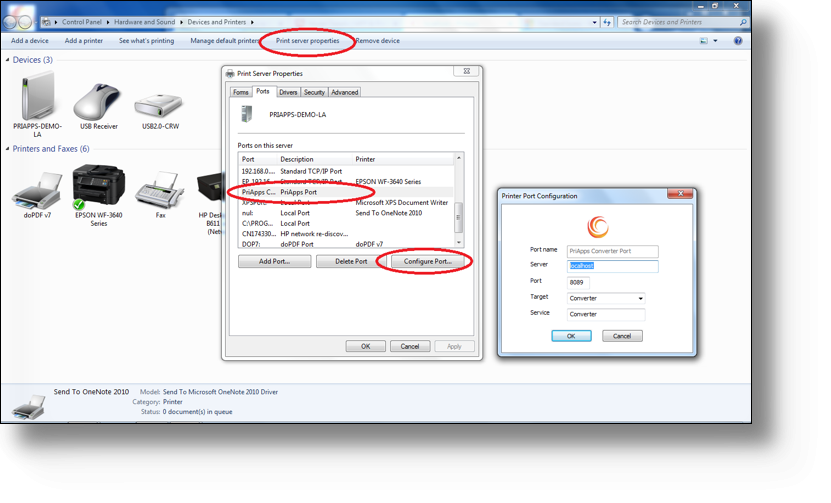
Open Devices and Printers
Navigate to Control Panel → Devices and Printers.
2
Open Server Properties
Click the Server Properties option in the toolbar or right-click menu.
3
Check the Ports tab
Select the Ports tab. Locate the PriApps Port in the list and highlight it.
4
Click Configure
Click the Configure Port button. The PriApps port configuration dialog should display correctly if the installation was successful.
A valid license is required before PriApps will operate. See Licensing.