Changing user properties
How to change properties for single or multiple users in the PriApps Admin UI.
v24.0
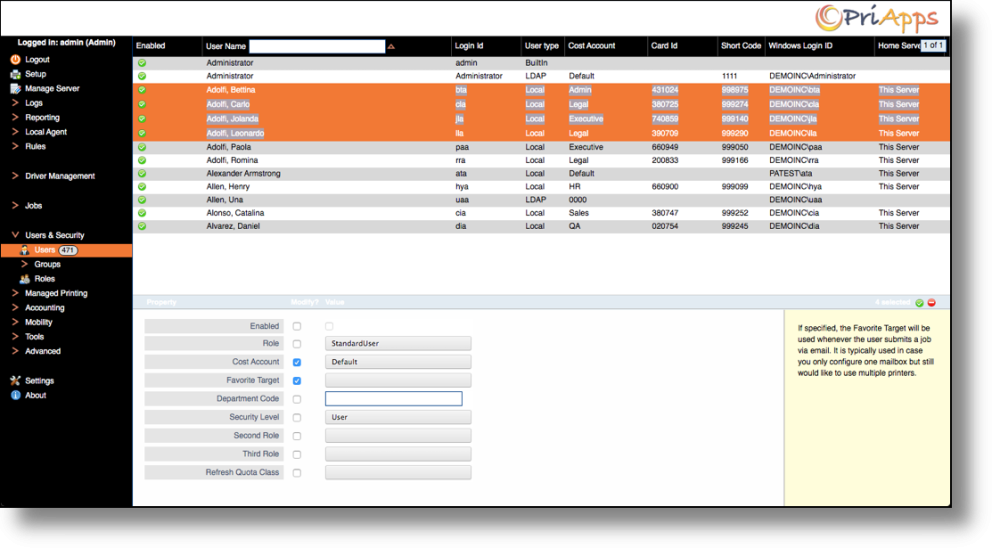
Administrators have the ability to change the properties of single users as well as multiple users at the same time.
To change user properties, click on Users & Security in the main menu, and then select Users. Select the user(s) whose properties you want to change. To select multiple users, hold Ctrl and click each user. Right-click the selection and choose Properties from the context menu.