License types
PriApps requires a valid license to operate. License activation requires internet access from the PriApps Application Server.
v24.0
Internet access required. The PriApps Application Server must be able to reach the internet to activate a license. For offline activation, contact support@priapps.com with your Customer ID and contact email address.
License types
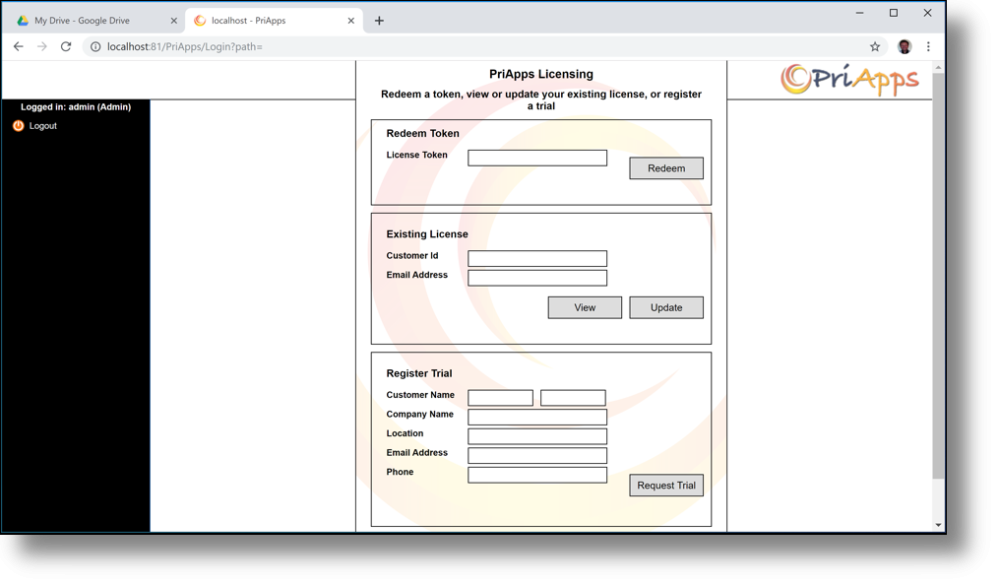
| License type | Description |
|---|---|
| Trial | 45-day access to all features for up to 10 print devices. For testing and evaluation only — cannot be used in production. |
| NFR | Unlimited access to all features for the current version. For testing, evaluation, and demonstration by PriApps Authorized Resellers only — cannot be used in production. |
| Perpetual | Permanent access to licensed features for the number of devices or users purchased. |
| Subscription | Access to licensed features for the number of devices or users purchased, for the duration of the subscription term. |
Licensing options
- New customer — redeem a License Token issued by PriApps or your reseller
- Activate an NFR — for authorized resellers and distributors
- Activate a trial — register your details to start a 45-day evaluation
- Update an existing license — renew or expand an existing installation
- View your license — check current license details