LDAP / AD Integration — Computer Attributes
LDAP attribute mappings for computer objects imported from Active Directory.
v24.0
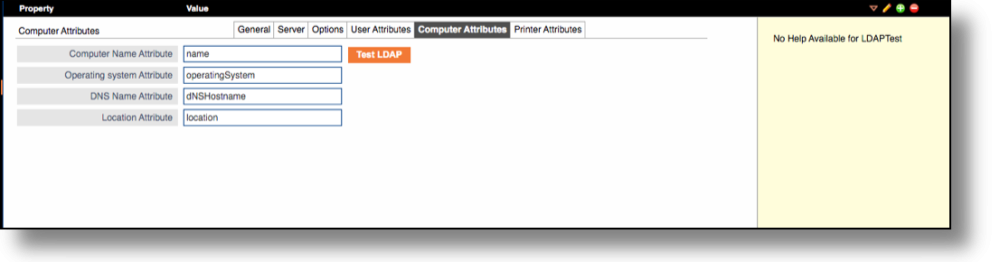
Configure the LDAP attribute mappings for computer objects from Tools → LDAP Integration in the PriApps Admin UI. Select a connection and edit the Computer Attributes tab.
These options are used to import different attributes associated with a Computer when importing from LDAP.
These settings are typically only required for the Centralized Printer and Driver Management functionality.
| Field | Description |
|---|---|
| Computer Name Attribute | The LDAP attribute whose value will be used as the computer name in PriApps. |
| Operating System Attribute | The LDAP attribute whose value will be used as the computer's Operating System. |
| DNS Attribute | The LDAP attribute whose value will be used as the DNS name of the computer. |
| Location Attribute | The LDAP attribute whose value will be used as the Location of the computer, used for mapping to the Printer and Driver Management Organizational Model. |