Accounting Settings
Cost recovery, account selection, and reporting configuration in Server Settings → Accounting.
v24.0
Configure cost recovery and accounting behavior from Settings → Accounting in the PriApps Admin UI. The Accounting tab displays configurable settings for Cost Recovery and Accounting features.
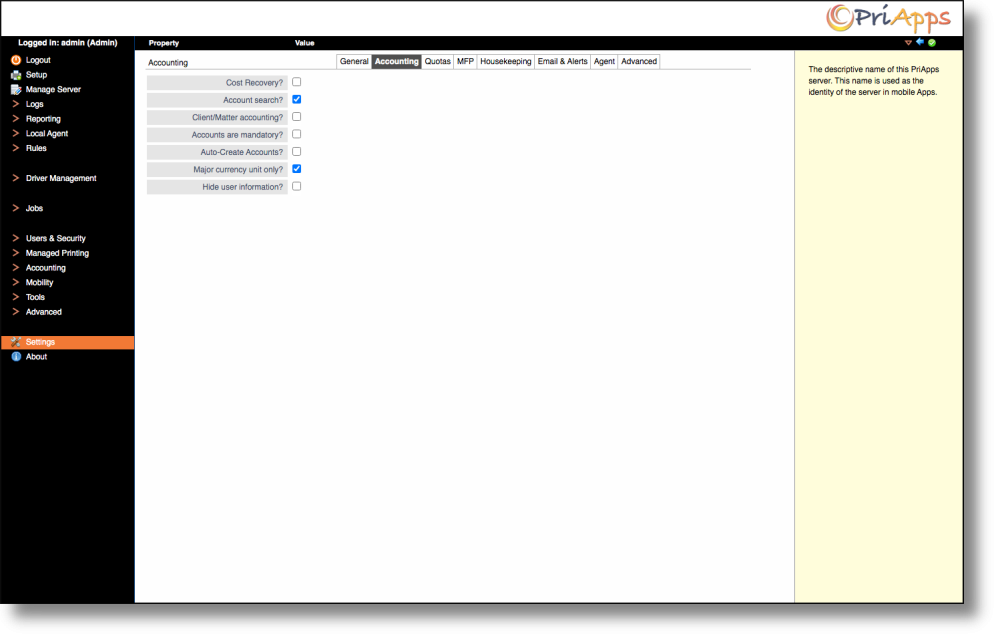
| Setting | Description |
|---|---|
| Cost Recovery? | Check to activate Cost Recovery features on the Managed Printer / MFP UI. |
| Account search? | If checked, a search facility is provided on the Cost Recovery screen where the user enters the Cost Account to be charged for a job. This applies to Workstation Agents and MFP displays. Partial account names or codes can be entered, and a list of matching accounts is displayed from which the required Cost Account can be selected. |
| Client/Matter accounting? | If checked, a two-stage account search and selection process is enabled. The user first searches for the Client to which the job is to be charged. A list of Cost Accounts or Matters belonging to that Client is then displayed from which the required Matter can be selected. |
| Accounts are mandatory? | If checked, the user is forced to select a Cost Account for each print job or MFP login session. If a Cost Account is not provided, an error message will be displayed and the print or login will be halted. |
| Auto-Create Accounts? | Cost Account codes entered will be automatically created if they do not already exist in the PriApps system. |
| Major currency unit only? | If selected, all reports and other places where currency values are displayed will be formatted in terms of the principal currency unit only. |
| Hide user information? | If checked, user and job names will not be displayed on reports or any screens that display print usage. Use this setting in jurisdictions that do not permit individual-level behavior tracking. |
For example, in the USA locale, if Major currency unit only is NOT selected, a value of 5 cents will be displayed as 5¢. If the option IS selected it will be displayed as $0.05.
Some accounting fields may be hidden in the UI until Cost Accounting or Quota Management has been configured.